Virtual Networks
Virtual networks decide how your resources connect to each other and whether they can be reached from outside the platform. In RESVRL, a network is created per host region and can later be attached to virtual machines or used during Kubernetes cluster creation.
Virtual Networks
Virtual networks decide how your resources connect to each other and whether they can be reached from outside the platform. In RESVRL, a network is created per host region and can later be attached to virtual machines or used during Kubernetes cluster creation.
Network types in RESVRL
Public Network
Use a Public Network when the resource needs public connectivity.
- Suitable for SSH, web services, APIs, and any workload that must be reachable from outside.
- Public traffic should always be paired with a security group.
NAT
Use a NAT network for private communication.
- Suitable for internal services, databases, private application tiers, and cluster-only traffic.
- NAT is the safer default when public access is not required.
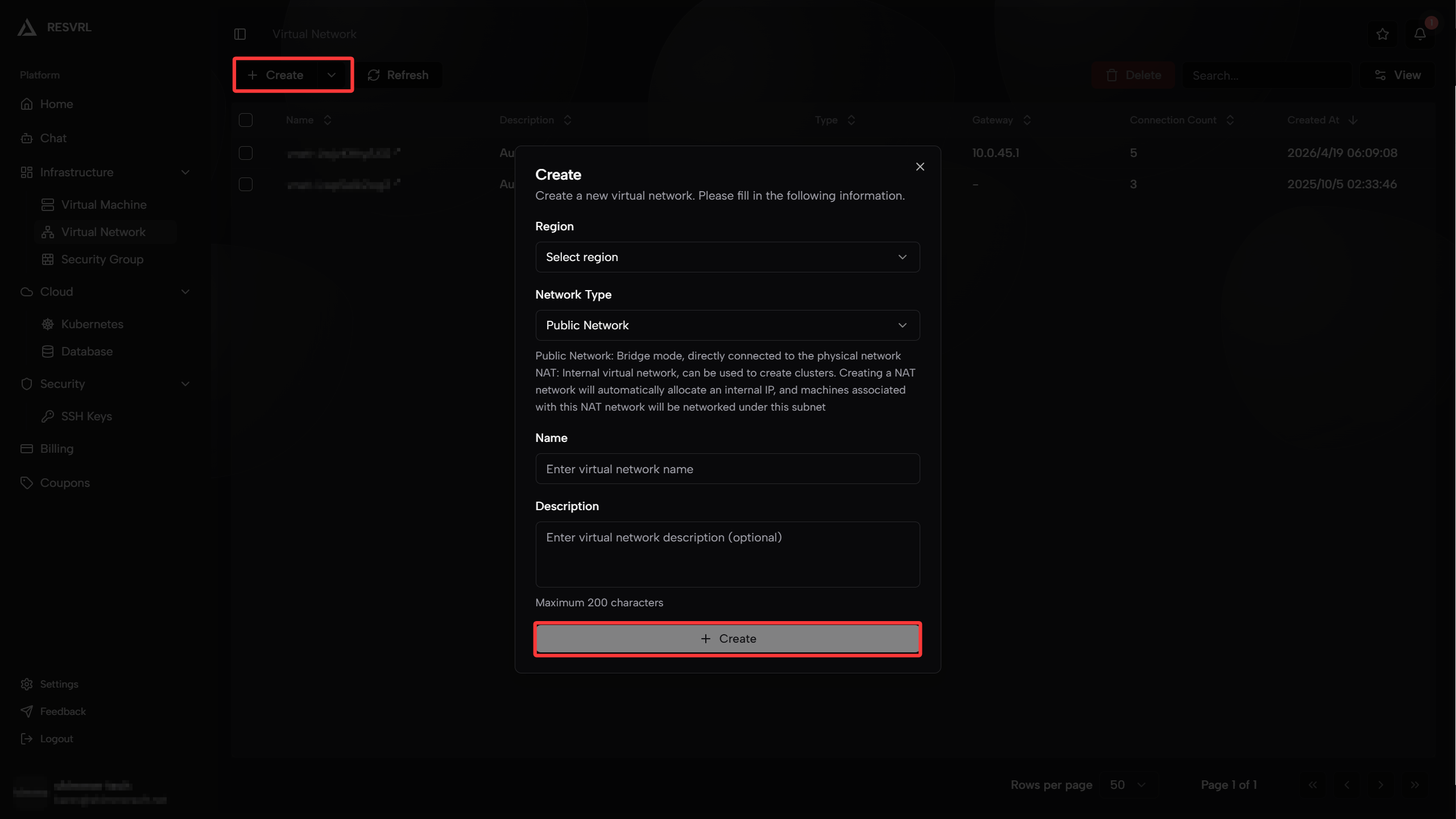
Create a virtual network
- Open Virtual Network in the member console.
- Click Create Virtual Network.
- Select the target region or host machine group.
- Choose Public Network or NAT.
- Enter a name and optional description.
- Submit the network.
How users typically combine networks
Single public VM
- One Public Network.
- One security group with only the ports the service needs.
Public application with private backend
- One Public Network for user-facing traffic.
- One NAT network for private east-west traffic.
- Separate interfaces on the same VM if the workload needs both paths.
Private cluster or internal system
- NAT network only.
- Add a gateway later only if external access becomes necessary.
How networks are used in the product
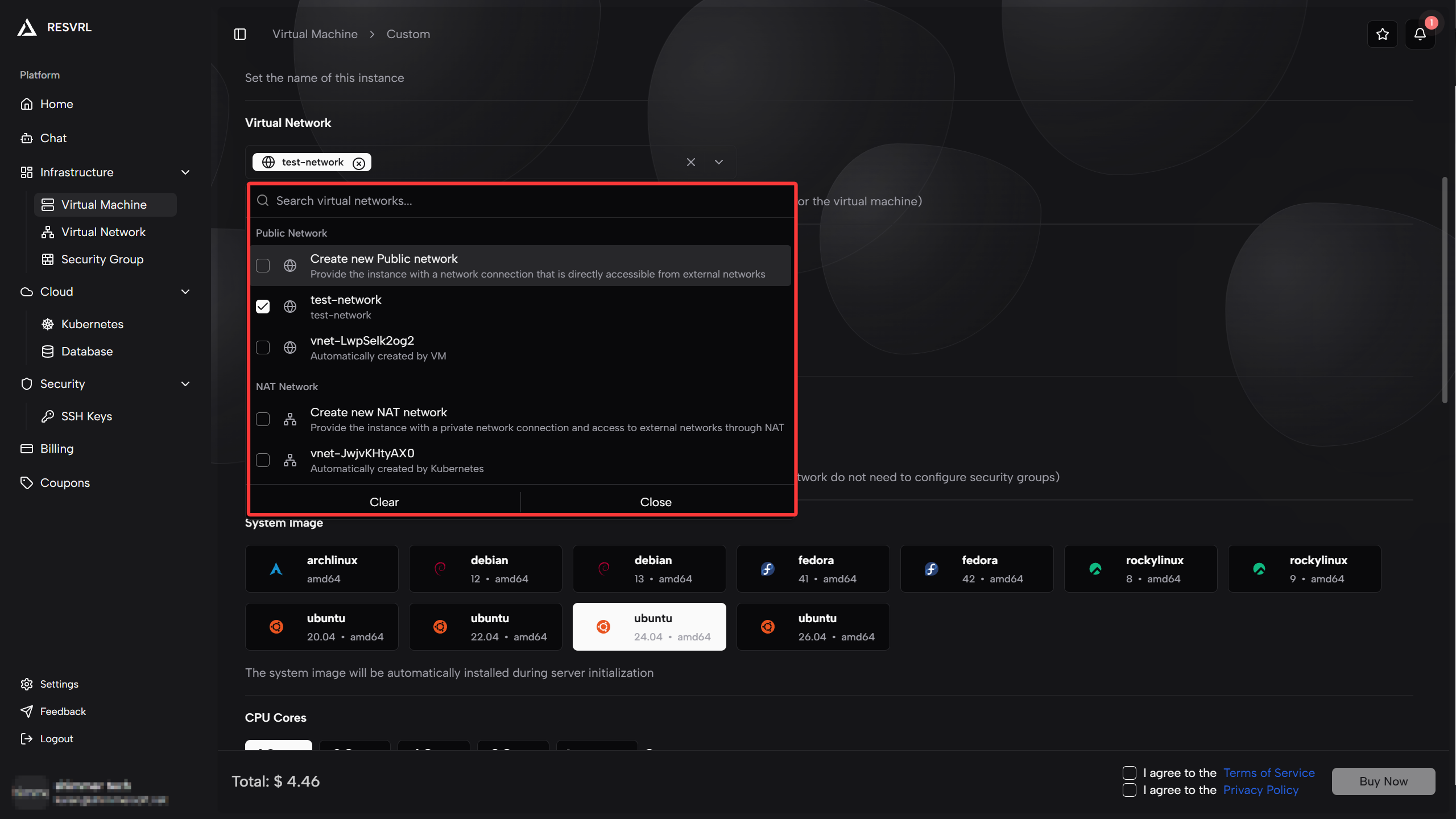
- VM creation lets you attach one or more networks.
- The instance interface page lets you add extra interfaces later.
- Kubernetes cluster creation requires a cluster network and can optionally add a gateway network.
Best practices
- Create separate networks for different environments instead of reusing one network for everything.
- Use Public Network only when public access is truly required.
- Pair public networks with a restrictive security group.
- Keep database and internal services on NAT unless you have a hard requirement for public reachability.
Troubleshooting
The VM has no public reachability
Check whether the VM is attached to a Public Network and whether a security group allows the required inbound ports.
Two resources cannot reach each other
Check whether they are on the same network or whether routing is expected to cross a public and private boundary.
Kubernetes gateway cannot expose services
Confirm that the gateway network and security group were selected during cluster creation.
This document was updated on 2026-04-25 09:00