Security Groups
Security groups are RESVRL's traffic-control layer for public-facing access. In practice, most users will touch security groups when a VM or Kubernetes gateway is connected to a Public Network.
Security Groups
Security groups are RESVRL's traffic-control layer for public-facing access. In practice, most users will touch security groups when a VM or Kubernetes gateway is connected to a Public Network.
When you need a security group
Use a security group when:
- A virtual machine is attached to a Public Network.
- A new public network interface is added to a VM.
- A Kubernetes cluster gateway is enabled for external traffic.
If the workload uses only NAT networking, you may not need a public-facing security group at all.
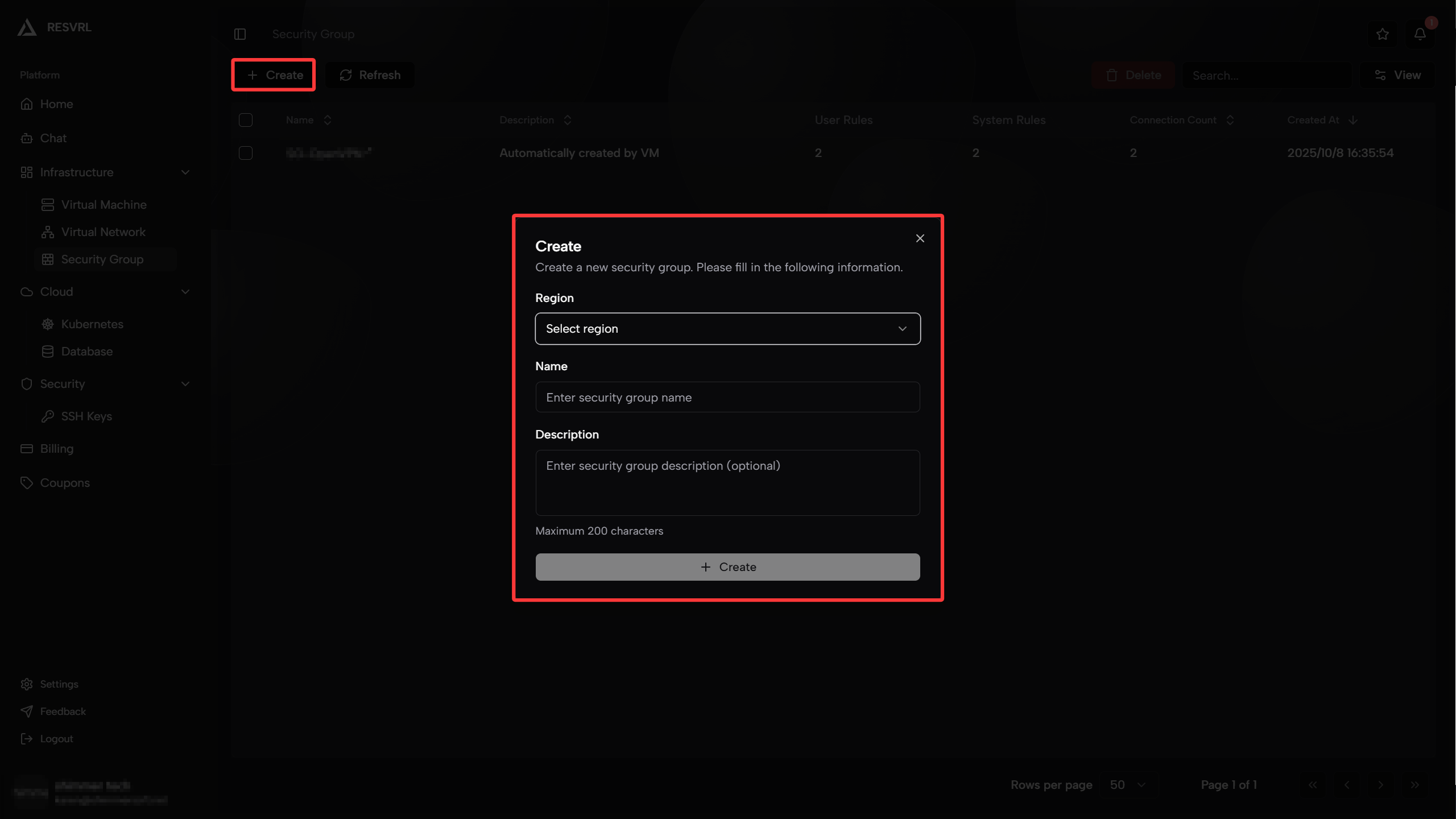
Create a security group
- Open Security Group in the member console.
- Click Create Security Group.
- Select the target region or host machine group.
- Enter a name and optional description.
- Save the group.
- Add the rules required by your workload.
What a rule contains
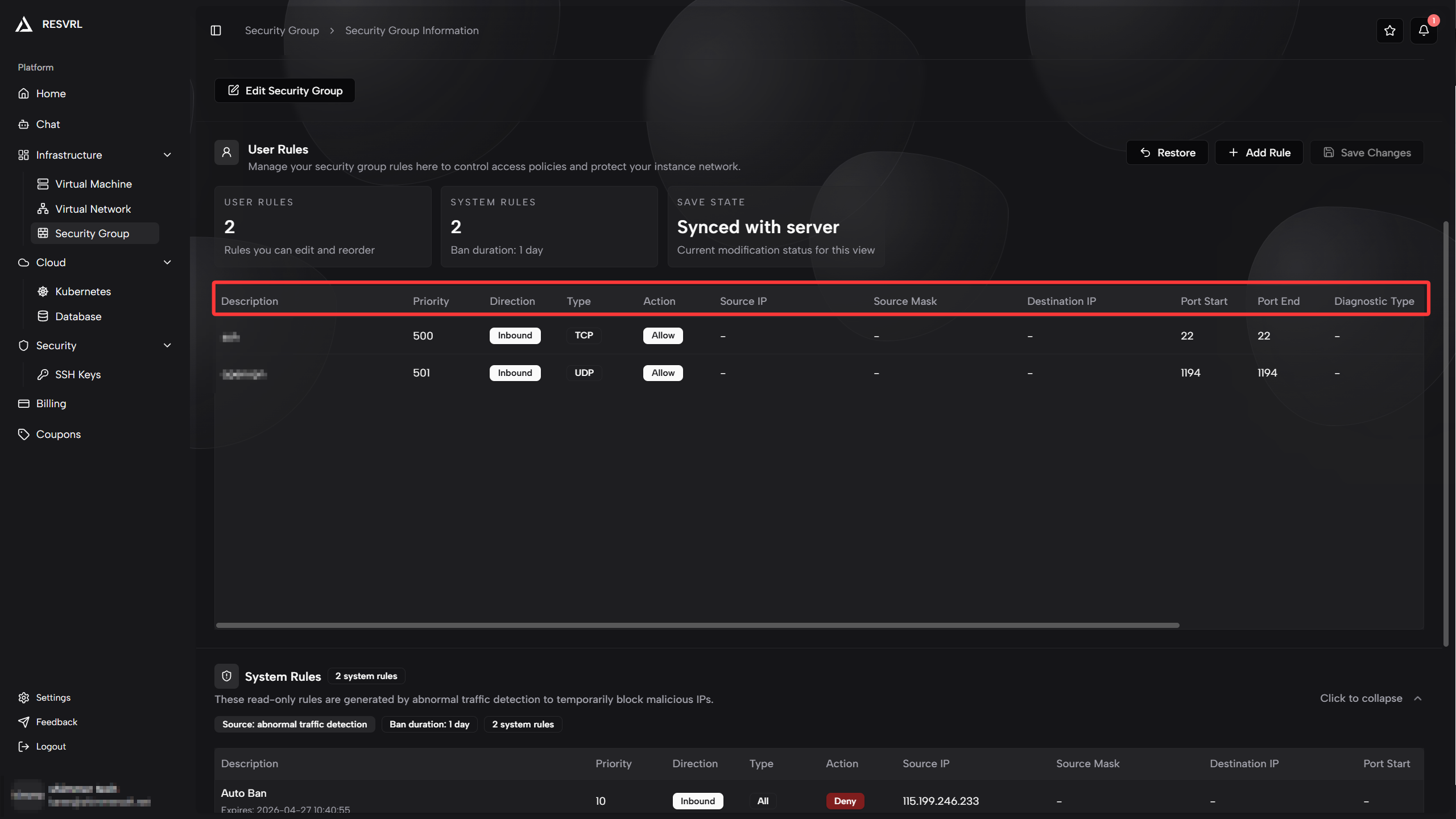
RESVRL lets you configure rules with these core fields:
- Protocol: TCP, UDP, SCTP, IP, or All.
- Direction: inbound or outbound.
- Action: Accept or Drop.
- Optional IP scope and port range fields, depending on the selected protocol.
Common rule patterns
SSH administration
- Inbound TCP 22.
- Restrict source IPs to your office, VPN, or administrator addresses.
Web application
- Inbound TCP 80 and 443.
- Inbound TCP 22 only from administrator IP ranges.
Private service with outbound updates
- No public inbound rules.
- Outbound TCP 80 and 443 for package updates and API calls.
How to use groups safely
- Start from the smallest rule set possible.
- Avoid opening management ports to the entire internet.
- Create separate groups for different roles, such as web, database, and gateway.
- Review rules whenever a service is retired or moved.
Important Rules and Limitations
Rule Priority Allocation
Security group rules use priority values to determine matching order - lower values mean higher priority and earlier matching:
| Priority Range | Usage | Description |
|---|---|---|
| 1-10 | System Reserved | Used for platform auto-blocking and system rules, not editable by users |
| 11-989 | User Available | Priority range available for user-created rules (979 slots total) |
| 990-1000 | System Reserved | Reserved for future system features |
⚠️ Note: The system automatically assigns priorities when creating rules. Once the user priority reaches the 989 limit, no new rules can be added.
Auto-Blocking Mechanism
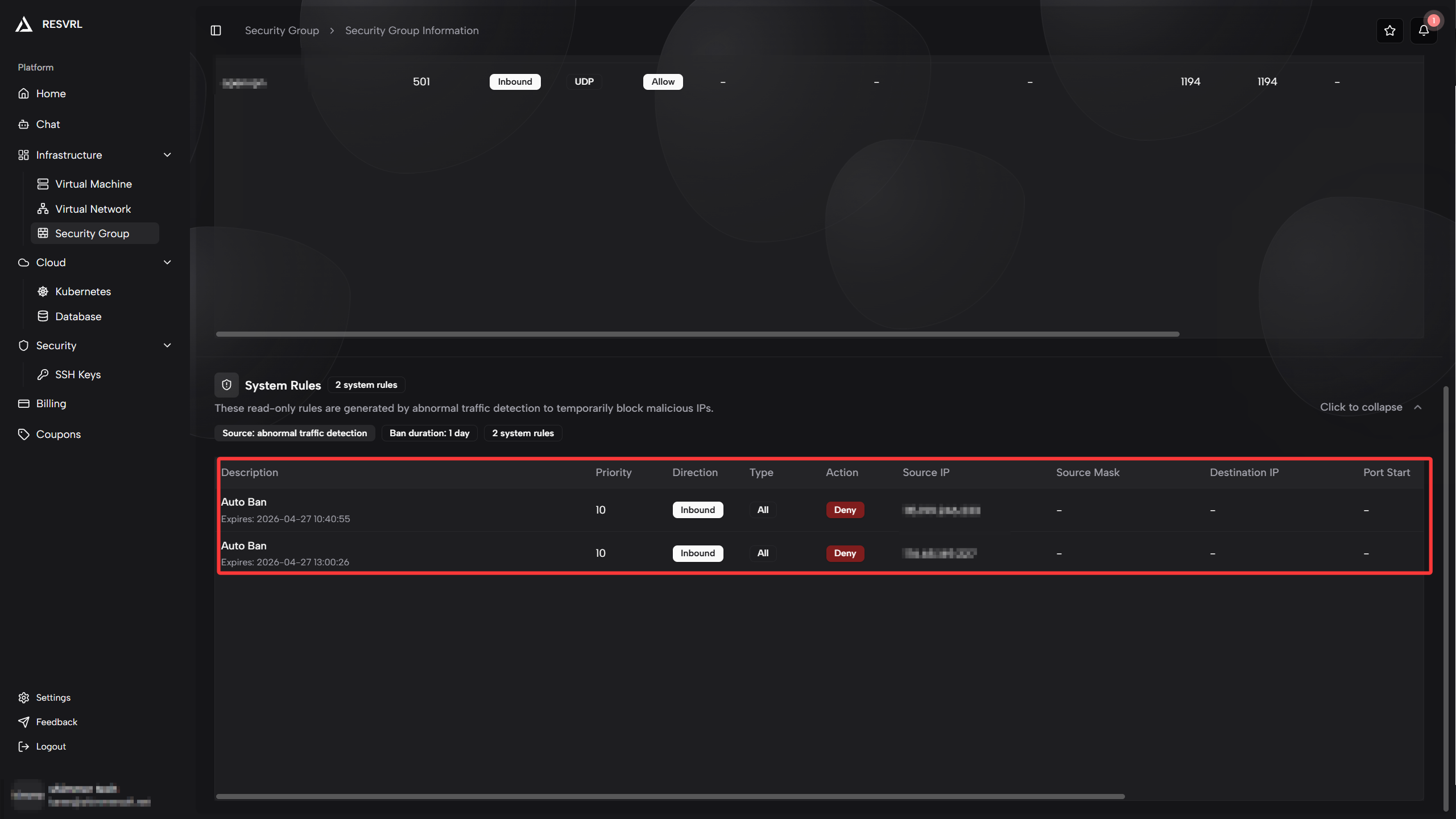
Resvrl provides automatic intrusion protection for all security groups bound to Public Networks:
- Trigger Condition: Automatically triggered when malicious traffic is detected (e.g., port scanning, attack attempts)
- Blocking Method: The system automatically adds Drop rules to block malicious source IPs
- Blocking Priority: Uses system-reserved priority 10, ensuring it takes effect before user rules
- Auto-Unblock: Blocking rules are automatically removed after 24 hours
- Visibility: Users can see system-added blocking rules in the rule list (marked as
SG_AUTO_BLOCK), but cannot modify or delete them
💡 Tip: Auto-blocking rules use system-reserved priorities and don't count toward your rule quota. Contact support if you need to unblock an IP early.
Rule Matching Mechanism
Security group rules use a short-circuit matching principle:
- Rules are sorted by priority from low to high
- Matching starts from the highest priority rule
- Once a rule matches, the corresponding action is executed immediately and subsequent matching stops
- If no rule matches, access is denied by default
Therefore, when planning rule order, ensure:
- High-priority rules handle special cases (e.g., blocking specific malicious IPs)
- Low-priority rules handle general cases (e.g., opening ports)
Troubleshooting
The service is unreachable
Check whether the correct group is attached to the public-facing interface and whether the required inbound protocol and port are allowed.
The VM cannot reach external services
Check outbound rules before changing the VM itself.
The cluster gateway is still blocked
Check both the security group and the gateway network selection from the cluster configuration.
Legitimate traffic is unexpectedly blocked
Check if a higher-priority rule matches and blocks the traffic first. Use the rule list to view the priority order of each rule.
Related guides
This document was updated on 2026-04-25 09:00