Kubernetes Workloads
The Workloads page manages applications running in a cluster, covering six resource types: Pods, Deployments, StatefulSets, DaemonSets, Jobs, and CronJobs. All list pages support namespace filtering and name search.
Kubernetes Workloads
The Workloads page manages applications running in a cluster, covering six resource types: Pods, Deployments, StatefulSets, DaemonSets, Jobs, and CronJobs. All list pages support namespace filtering and name search.
Pods
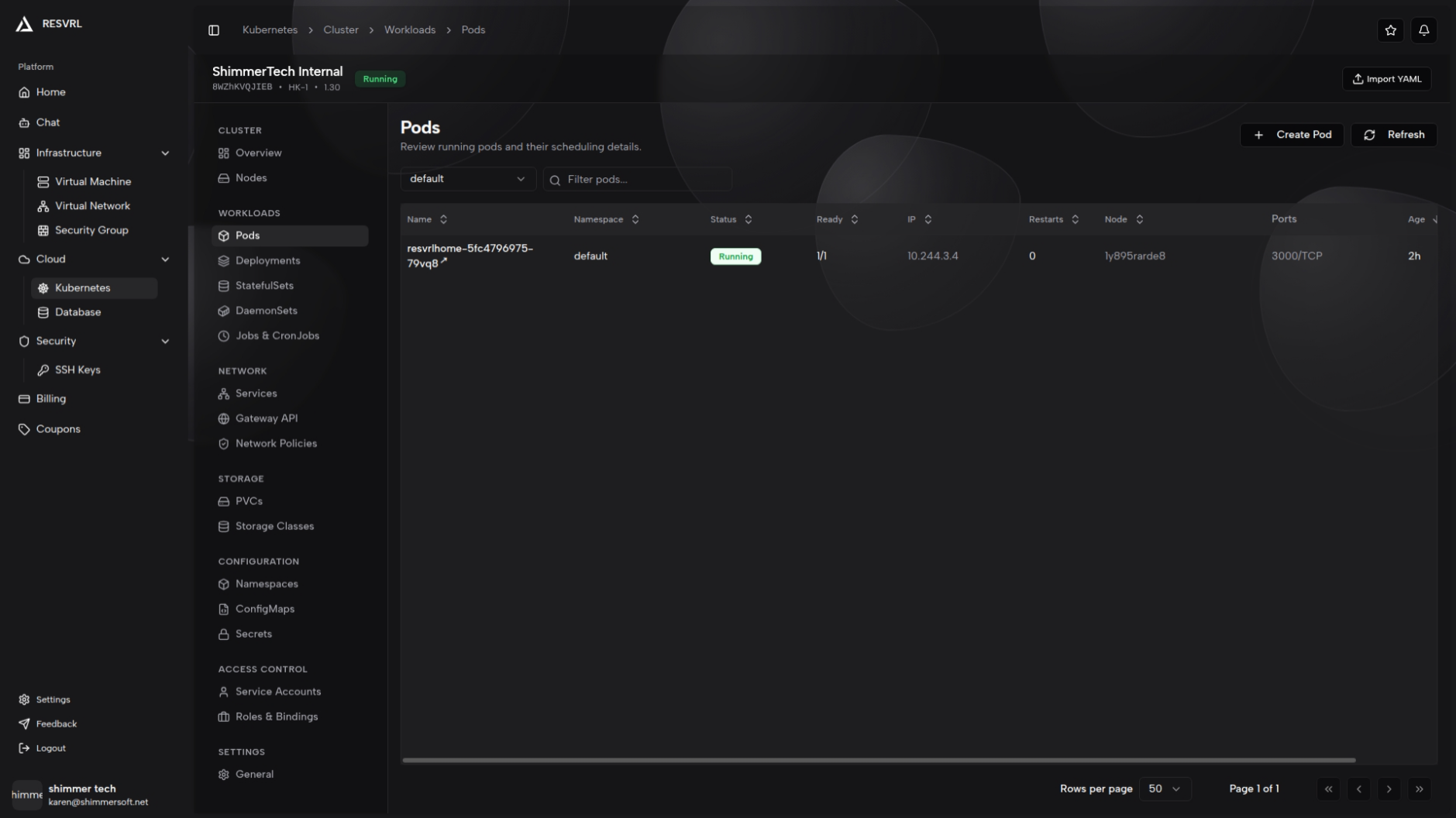
The list page displays all Pods in a table:
| Field | Description |
|---|---|
| Name | Pod name; click to open the detail page |
| Namespace | The namespace the Pod belongs to |
| Status | Current Pod status (Running, Pending, Failed, etc.) |
| Ready | Ready containers / Total containers |
| IP | Pod IP address |
| Restarts | Container restart count |
| Node | Node the Pod is running on |
| Ports | Exposed container ports |
| Age | Resource creation time |
List page actions: Create Pod, Edit Pod, Delete Pod.
Direct Pod creation is typically for debugging or short-lived tasks. For production workloads, use controllers such as Deployments or StatefulSets.
Click a Pod name to open the detail page with the following tabs:
Overview — Displayed as cards showing basic info (Phase, Pod IP, Host IP, Node, Restarts, QoS Class, UID, Created At), conditions, labels, annotations, related services (auto-matched by Pod labels), and events.
Logs — View real-time logs from containers within the Pod. Logs may be empty if the container hasn't started or has exited.
The Ready column shows "ready containers / total containers". If the count is less than total, some containers have not passed readiness probes.
Deployments
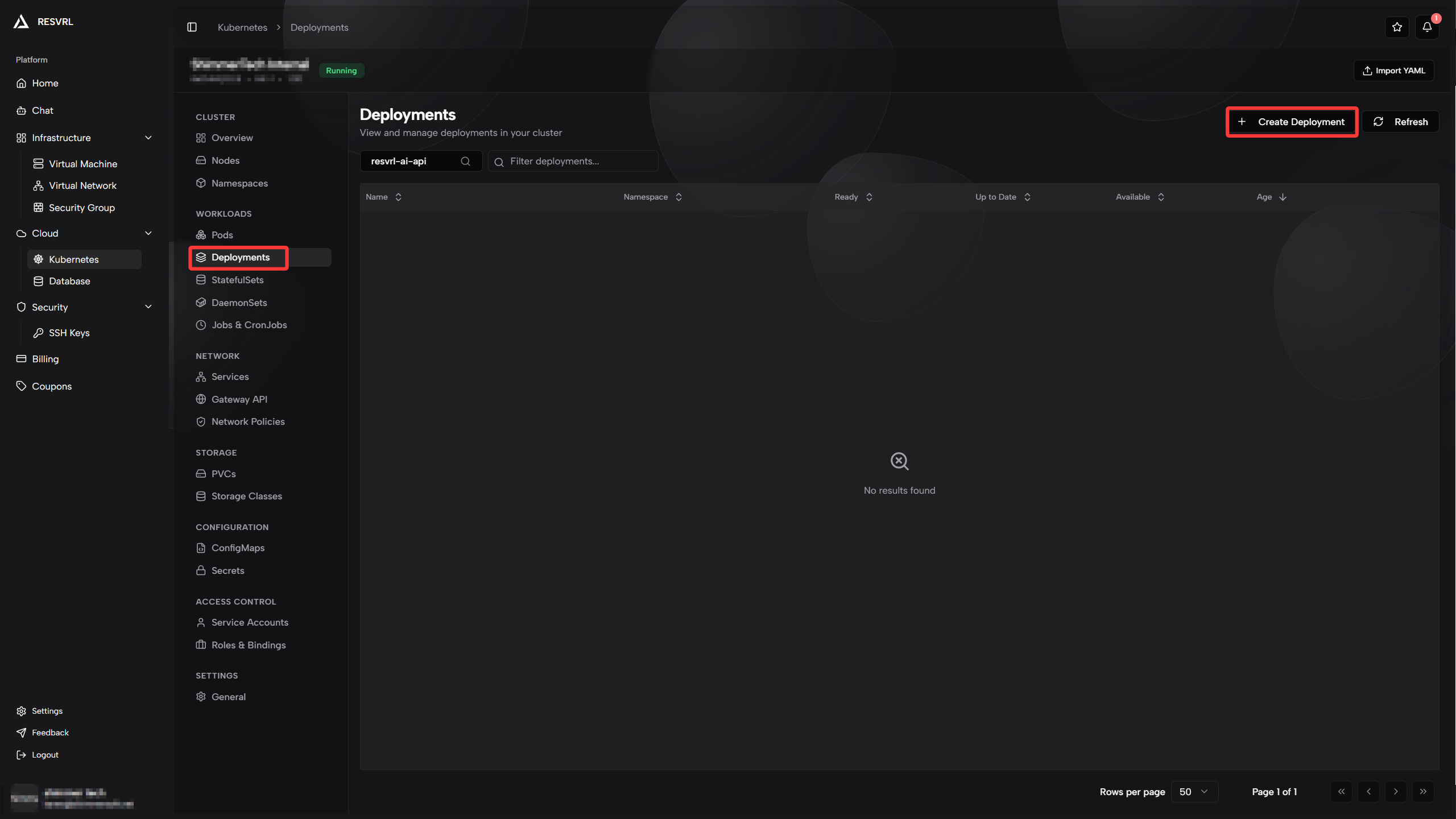
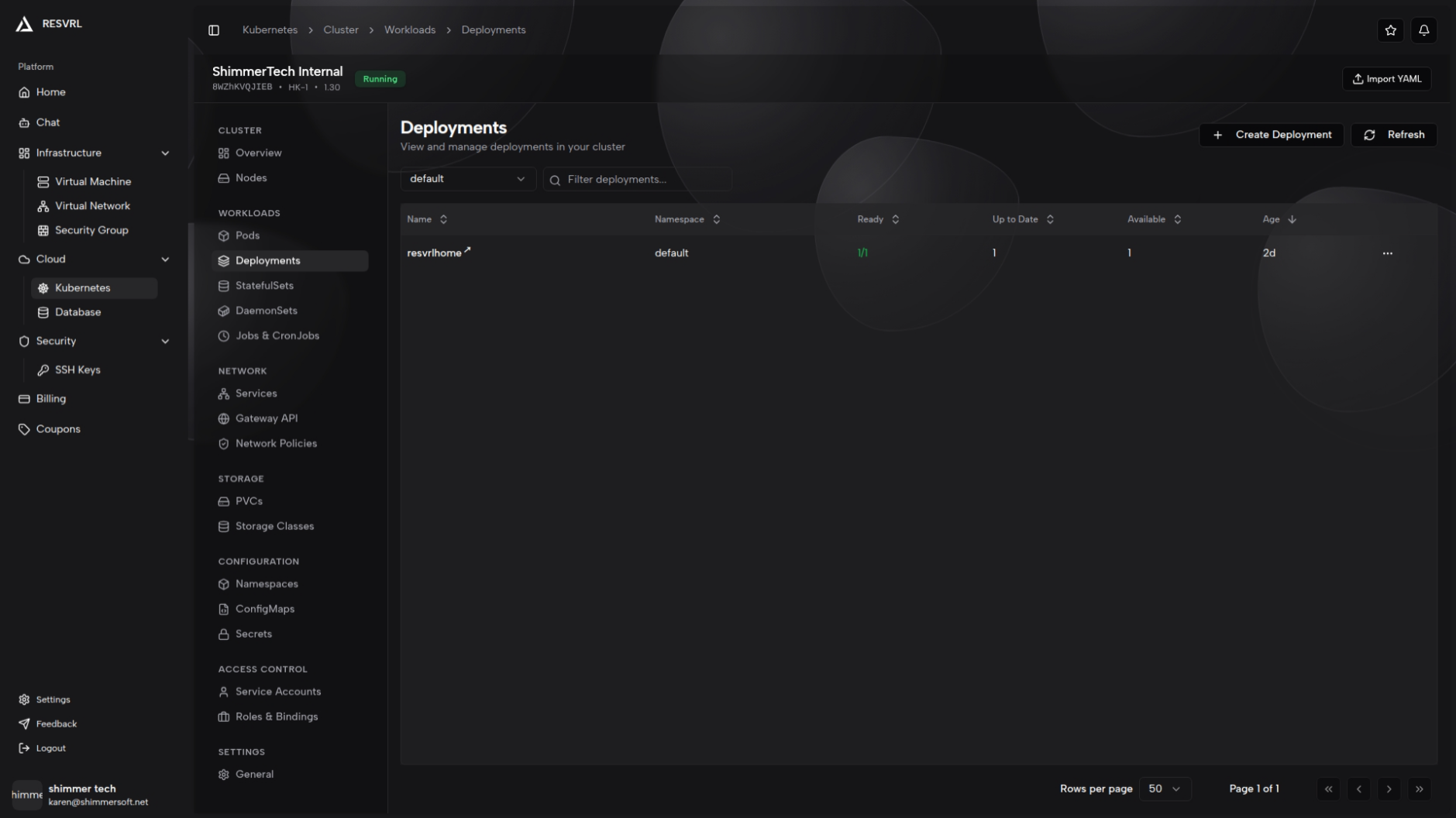
The list page displays all Deployments in a table:
| Field | Description |
|---|---|
| Name | Deployment name; click to open the detail page |
| Namespace | The namespace the Deployment belongs to |
| Ready | Ready replicas / Desired replicas |
| Up-to-date | Replicas updated to the latest template |
| Available | Available replicas |
| Age | Resource creation time |
List page actions: Create Deployment, Scale, Restart, Delete.
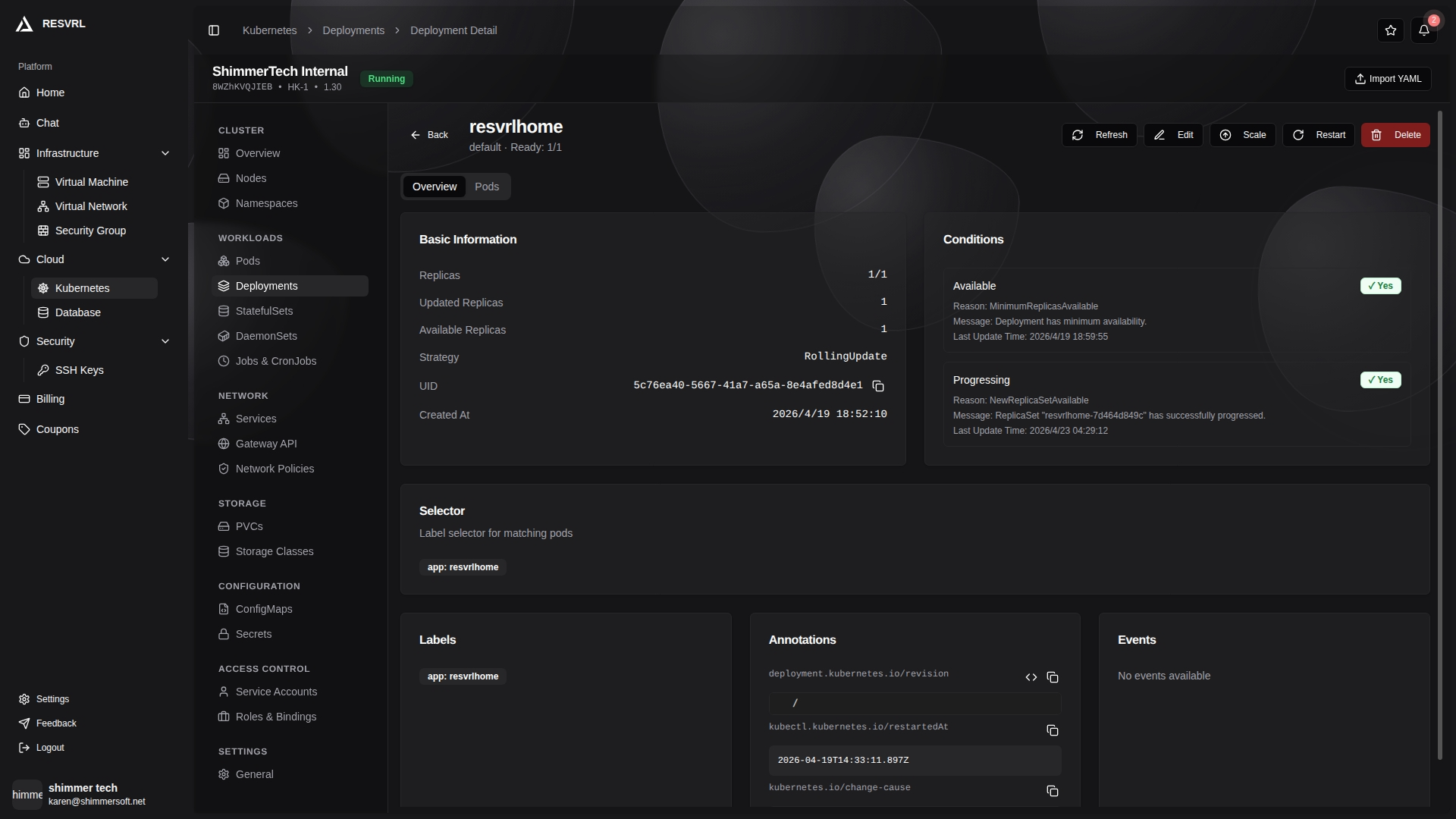
Click a name to open the detail page with top action buttons: Restart (rolling restart), Scale, Edit, Delete. The detail page has the following tabs:
Overview — Displayed as cards showing basic info, conditions, selector, labels, annotations, and events.
Pods — All Pods managed by this Deployment, with columns for name, namespace, status, ready, restarts, node, and IP.
Restarting a Deployment is a rolling restart, implemented by patching the Pod template rather than deleting and recreating. Scaling to 0 stops all Pods for this Deployment.
Creating a Deployment supports both form mode and YAML mode. The form mode includes Pod template configuration: container configuration (image, ports, environment variables, resource requests and limits), volumes, security context, tolerations, and probes (liveness, readiness, startup).
StatefulSets
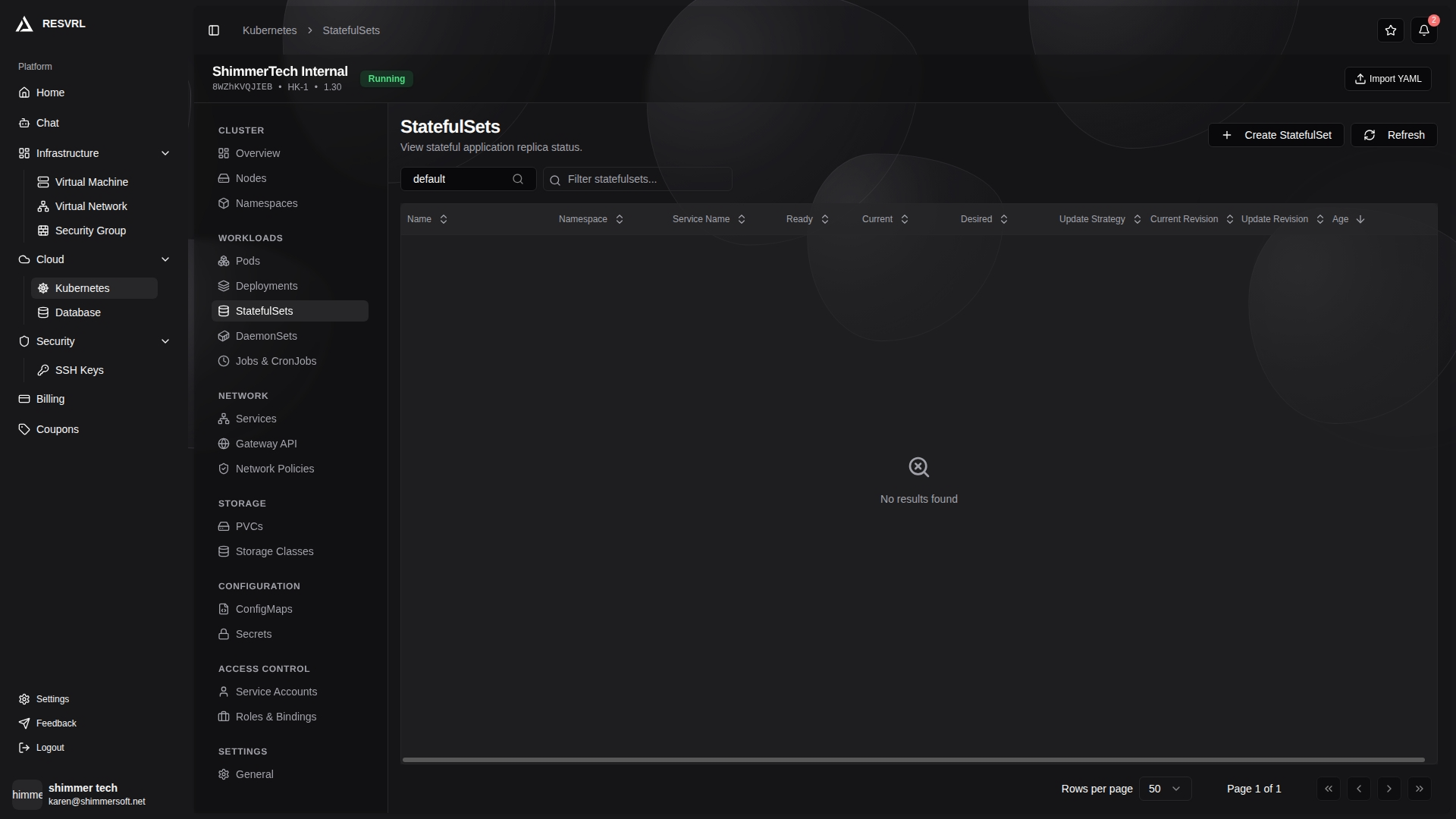
The list page displays all StatefulSets in a table:
| Field | Description |
|---|---|
| Name | StatefulSet name |
| Namespace | The namespace the StatefulSet belongs to |
| Service Name | Associated Headless Service name |
| Ready | Ready replicas / Desired replicas |
| Current Replicas | Current actual replica count |
| Age | Resource creation time |
List page actions: Create StatefulSet, Scale, Restart, Delete.
Click a name to open the detail page with top action buttons: Restart, Scale, Edit, Delete. The detail page has the following tabs:
Overview — Basic info, status, selector, labels, annotations, and events.
Pods — All Pods managed by this StatefulSet.
PVCs — PersistentVolumeClaims created by this StatefulSet, showing name, storage class, access modes, and storage request.
Scaling down a StatefulSet removes the highest-numbered Pod only; corresponding PVCs are not deleted. Deleting a StatefulSet does not automatically delete associated PVCs — manual cleanup is required.
DaemonSets
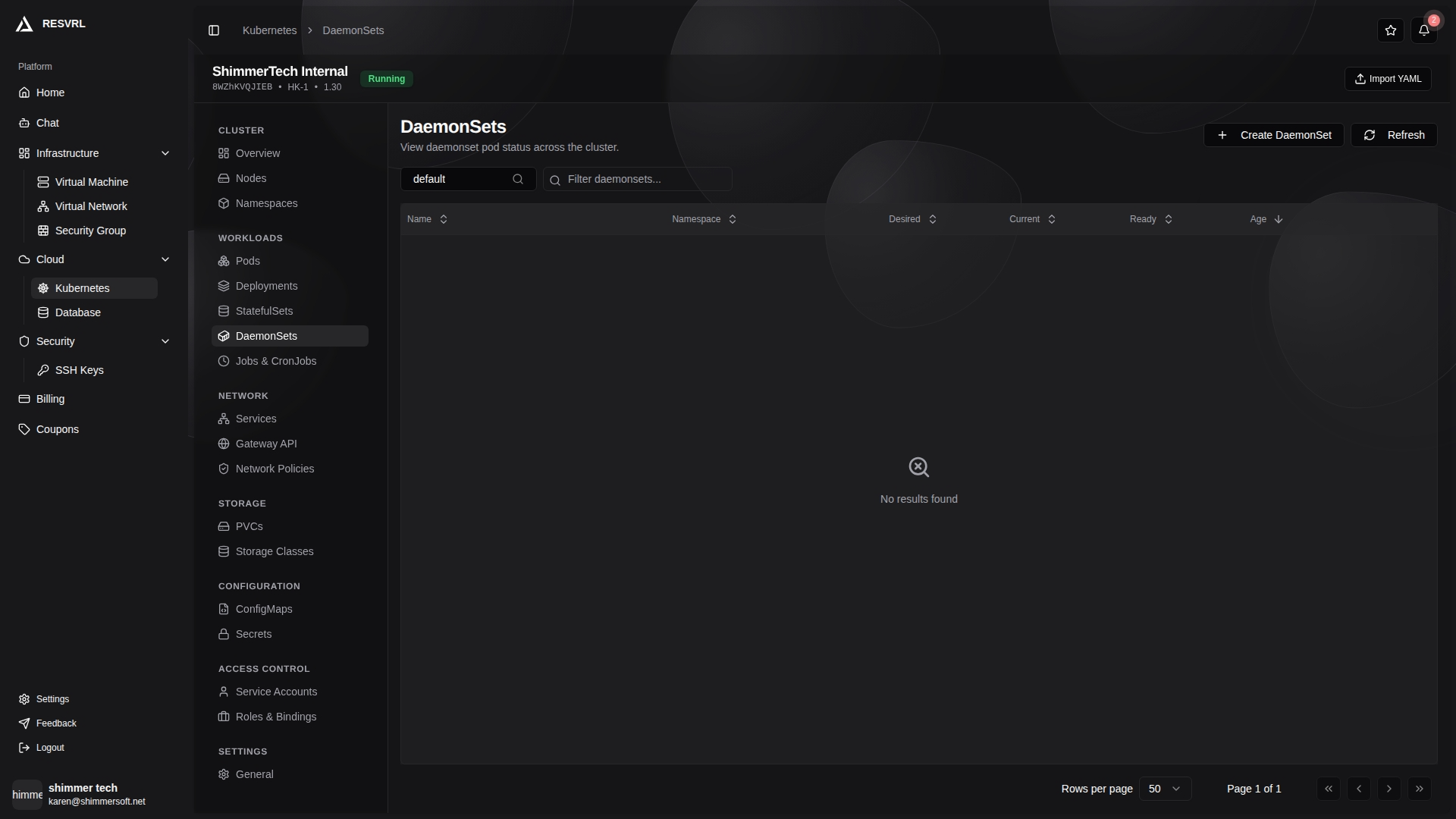
The list page displays all DaemonSets in a table:
| Field | Description |
|---|---|
| Name | DaemonSet name |
| Namespace | The namespace the DaemonSet belongs to |
| Desired | Desired number of Pods to schedule |
| Current | Currently running Pod count |
| Ready | Ready Pod count |
| Age | Resource creation time |
List page actions: Create DaemonSet, Restart, Delete.
Click a name to open the detail page with top action buttons: Restart, Edit, Delete. The detail page has the following tabs:
Overview — Basic info, conditions, selector, labels, annotations, and events.
Pods — All Pods managed by this DaemonSet.
A DaemonSet runs one Pod on every eligible node. New nodes automatically get a Pod, so there is no manual scale operation.
Jobs and CronJobs
Jobs and CronJobs share the same list page, switched via tabs.
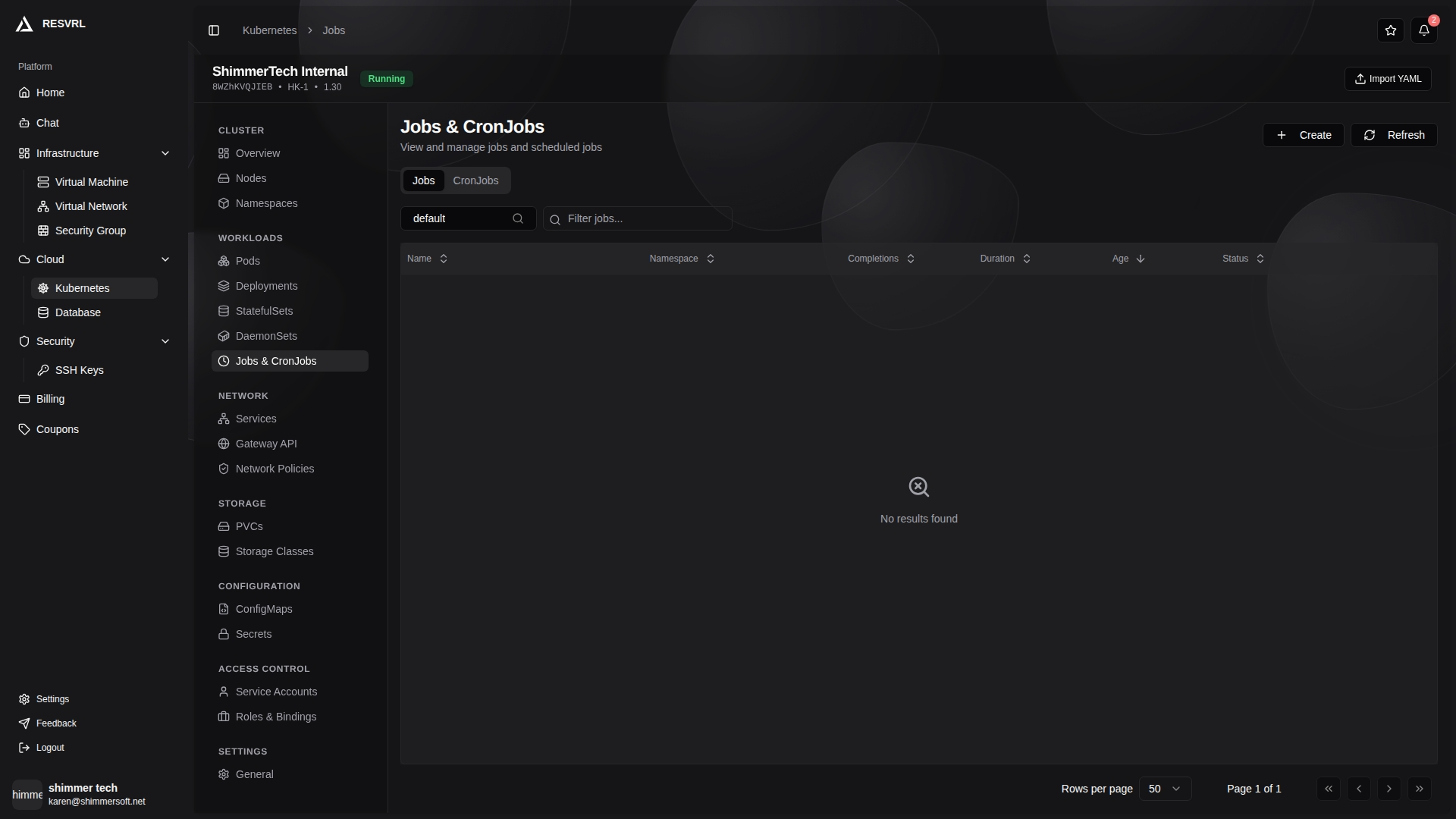
Jobs tab
| Field | Description |
|---|---|
| Name | Job name |
| Namespace | The namespace the Job belongs to |
| Completions | Completed / Desired count |
| Duration | Job run duration |
| Status | Completion status (Complete / Failed) |
| Age | Resource creation time |
List page actions: Create Job, Delete Job.
CronJobs tab
| Field | Description |
|---|---|
| Name | CronJob name |
| Namespace | The namespace the CronJob belongs to |
| Schedule | Cron expression |
| Suspended | Whether the CronJob is suspended |
| Active | Currently active Job count |
| Last Schedule | Time of the last triggered schedule |
| Age | Resource creation time |
Job Detail
Click a Job name to open the detail page with top action buttons: Edit, Delete. The detail page has the following tabs:
Overview — Basic info, conditions, selector, labels, annotations, and events.
Pods — All Pods created by this Job.
Deleting a Job also deletes all Pods it created. For Failed Jobs, inspect the associated Pod logs to determine the cause.
CronJob Detail
Click a CronJob name to open the detail page with top action buttons: Trigger (manual trigger), Suspend / Resume, Edit, Delete. The detail page has the following tabs:
Overview — Basic info, Job template, labels, annotations, and events.
Jobs — All Jobs created by this CronJob, showing name, namespace, completions, status, and age.
Suspending a CronJob stops new Jobs from being triggered, but already created Jobs continue running. Manual trigger creates a new Job immediately, independent of the schedule. CronJobs use Cron expressions to define schedules — confirm the timezone is correct.
Related Documentation
This document was updated on 2026-04-25 09:00