Access Control
The Access Control module manages identity authentication and permission assignment within a cluster, covering RBAC resources such as ServiceAccounts, Roles, ClusterRoles, RoleBindings, and ClusterRoleBindings.
Access Control
The Access Control module manages identity authentication and permission assignment within a cluster, covering RBAC resources such as ServiceAccounts, Roles, ClusterRoles, RoleBindings, and ClusterRoleBindings.
ServiceAccount
A ServiceAccount provides an identity for Pods within a cluster, controlling how Pods authenticate with the API Server.
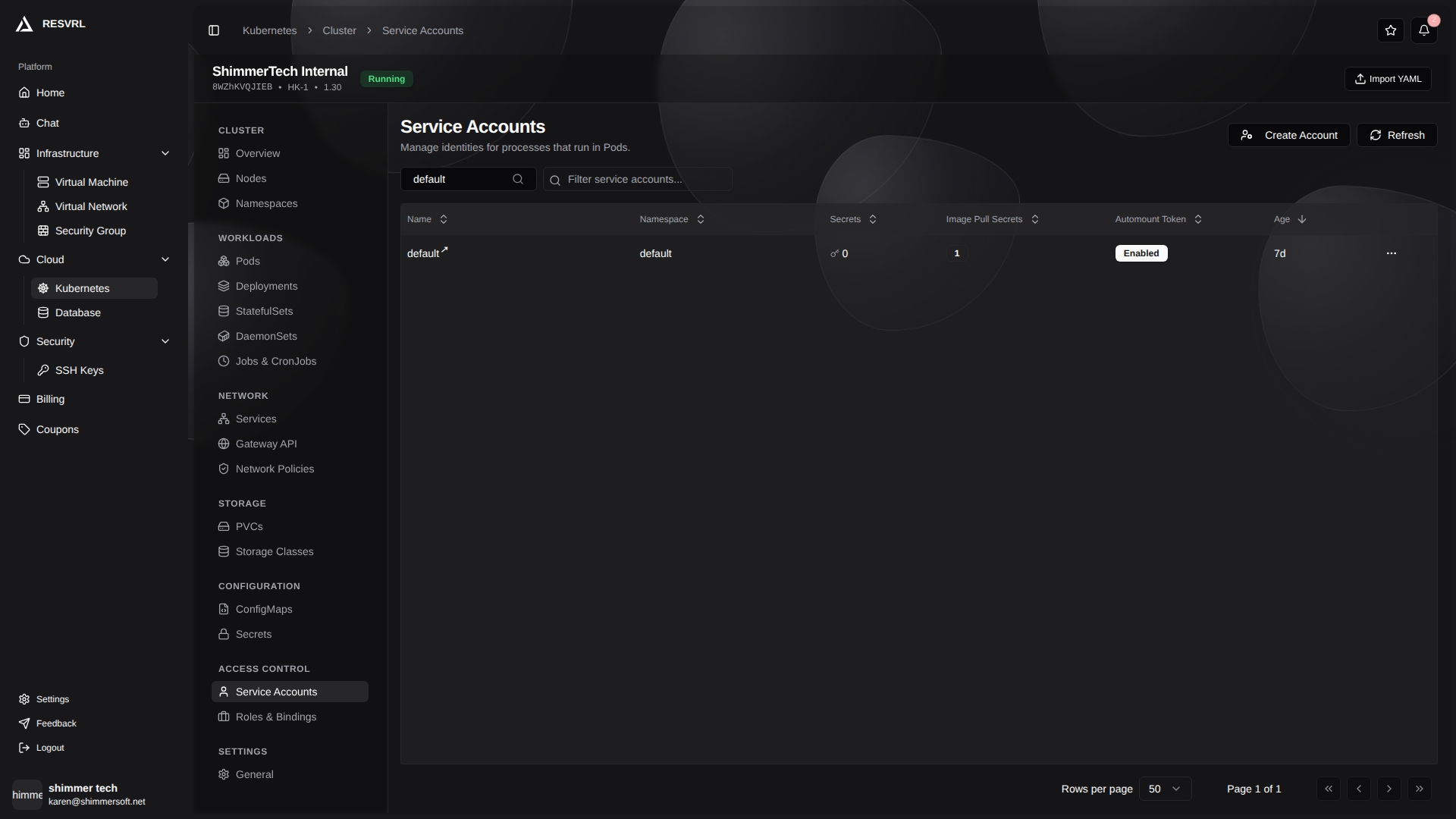
List Page
The list page displays all ServiceAccounts with the following fields:
| Field | Description |
|---|---|
| Name | ServiceAccount name. Click to open the detail page. |
| Namespace | The namespace the ServiceAccount belongs to. |
| Secrets | Number of associated Secrets. |
| Image Pull Secrets | Number of credentials for pulling private images. Shows - when none. |
| Auto-mount Token | Whether API credentials are automatically mounted to Pods (Enabled / Disabled). |
| Age | Resource creation time. |
The toolbar provides Create Account and Refresh buttons. The list supports namespace filtering and name search. Each row's action menu supports edit and delete. Deletion requires confirmation.
Creating and Editing
When creating a ServiceAccount, enter the name and namespace. Form mode and YAML mode are both available.
When editing, you can modify:
- Auto-mount Token — Controls whether Pods using this ServiceAccount automatically mount the API token.
- Image Pull Secrets — Configures credentials for pulling images from container registries. These secrets are automatically injected into Pods using this ServiceAccount.
Detail Page
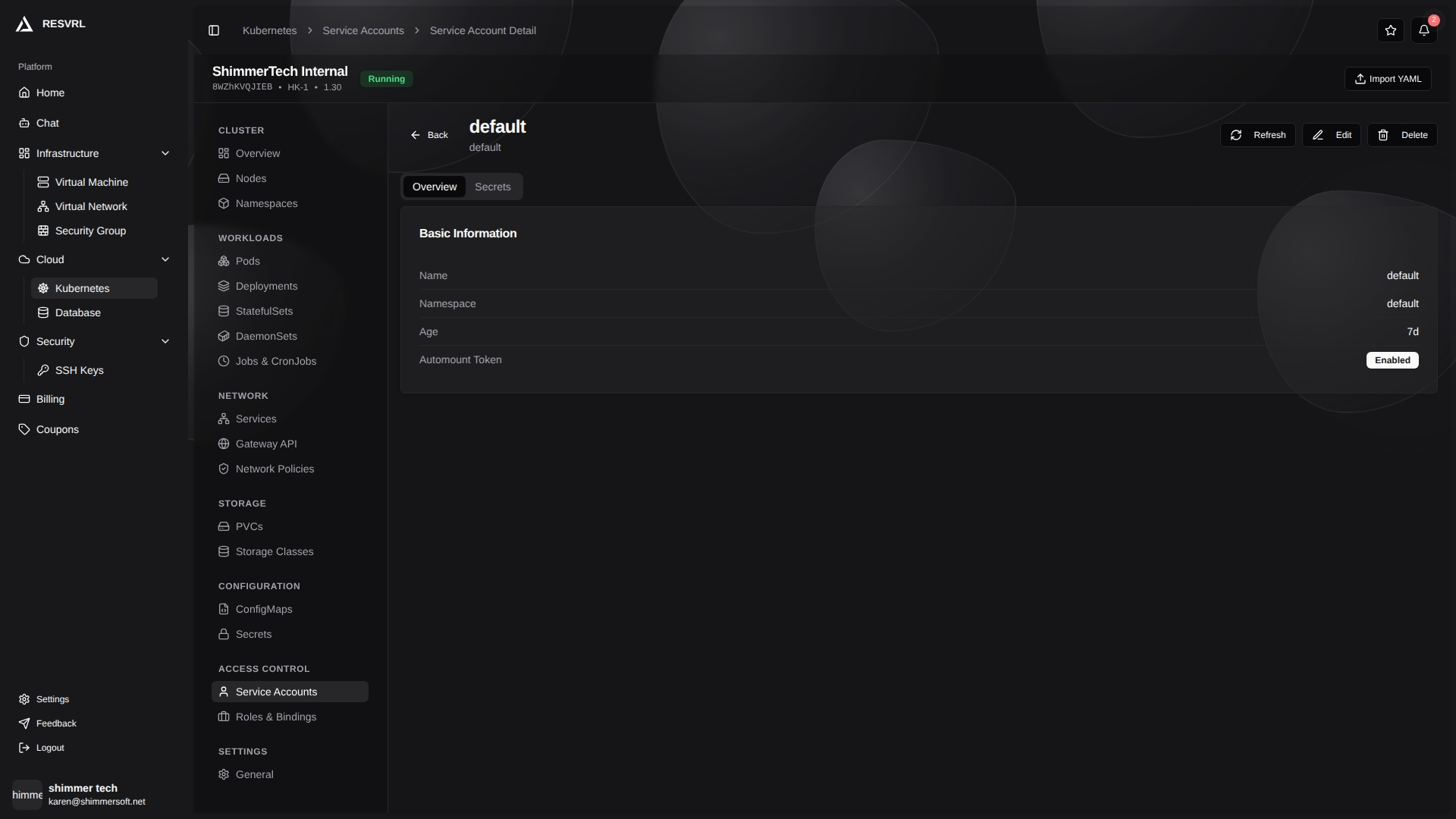
Click a name to open the detail page, displayed as tabs:
- Overview — Shows name, namespace, age, and auto-mount token status.
- Secrets — Shows the number of associated Secrets, image pull secret count, and the names of image pull secrets.
The detail page header provides edit and delete buttons.
Each Pod mounts the token of its associated ServiceAccount by default. To disable automatic mounting, turn off the auto-mount token option when editing.
Role
Roles and ClusterRoles define permission rules in a cluster. A Role is scoped to a specific namespace, while a ClusterRole applies cluster-wide.
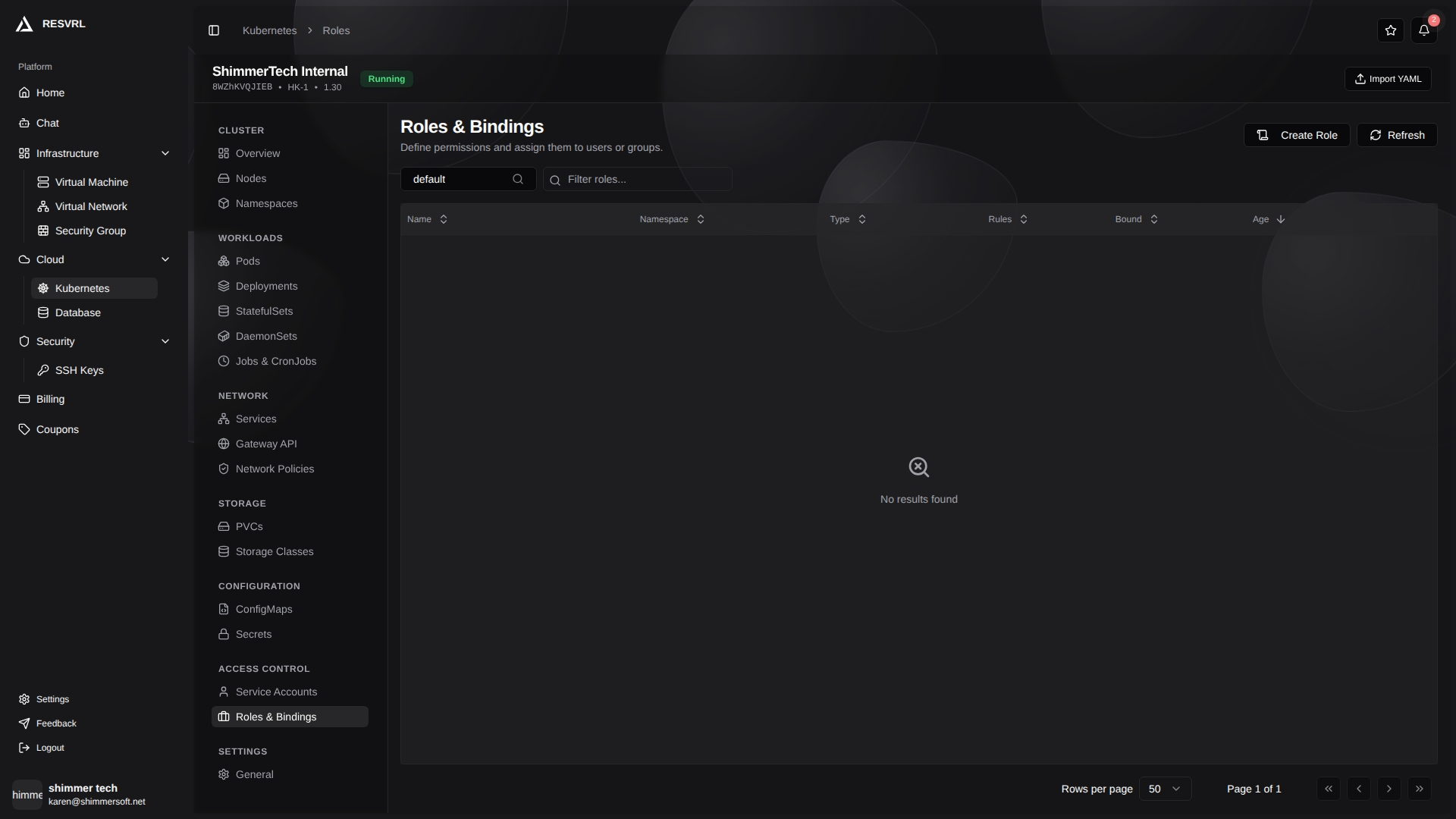
List Page
The list page displays Role resources with the following fields:
| Field | Description |
|---|---|
| Name | Role name. Click to open the detail page. |
| Namespace | The namespace the Role belongs to. |
| Type | Badge indicating Role or ClusterRole. |
| Rules | Number of permission rules defined. |
| Bound | Bound (green) or Unbound status. |
| Age | Resource creation time. |
The toolbar provides Create Role and Refresh buttons. The list supports namespace filtering and name search. Each row's action menu supports edit and delete.
Creating and Editing
When creating or editing a Role, you can switch between form mode and YAML mode.
Form mode fields:
- Name — Resource name (required).
- Namespace — The namespace the Role belongs to (required).
Permission rule configuration:
- API Groups — Select target API groups (multi-select). An empty string represents the core API group.
- Resources — Select resource types to authorize (multi-select).
- Verbs — Select allowed operations (multi-select), including
get,list,watch,create,update,patch,delete, and more.
Multiple permission rules can be added. Validation: name is required; each rule requires at least one resource and one verb.
Detail Page
Click a name to open the detail page, displayed as tabs:
- Overview — Shows name, namespace, type, and rule count.
- Rules — Displays each rule's API groups, resources, and verbs as badges.
- YAML — The raw YAML definition of the resource.
The detail page header provides edit and delete buttons.
RoleBinding
A RoleBinding binds the permissions of a Role (or ClusterRole) to subjects (Users, Groups, or ServiceAccounts) within a specific namespace.
List Page
The list page displays all RoleBindings with the following fields:
| Field | Description |
|---|---|
| Name | RoleBinding name. Click to open the detail page. |
| Namespace | The namespace the RoleBinding belongs to. |
| Role | The bound Role or ClusterRole (badge indicates type, followed by name). |
| Subjects | The authorized Users, Groups, or ServiceAccounts. |
| Age | Resource creation time. |
The list supports namespace filtering and name search. Each row's action menu only supports delete, which requires confirmation.
A RoleBinding can reference a ClusterRole. In this case, the ClusterRole's permissions only take effect within the RoleBinding's namespace, not cluster-wide.
Detail Page

Click a name to open the detail page, displayed as tabs:
- Overview — Shows name, namespace, role reference (kind, name, API group), and subject count.
- Subjects — Lists each subject's type (shown as a badge), name, and namespace.
- YAML — The raw YAML definition of the resource.
ClusterRoleBinding
A ClusterRoleBinding binds a ClusterRole's permissions to subjects at the cluster level.
List Page
The list page displays all ClusterRoleBindings with the following fields:
| Field | Description |
|---|---|
| Name | ClusterRoleBinding name, marked with a globe icon to indicate cluster scope. |
| Role | The bound ClusterRole (shown as a badge). |
| Subjects | The authorized Users, Groups, or ServiceAccounts. |
| Age | Resource creation time. |
The list supports name search. Each row's action menu only supports delete, which requires confirmation.
ClusterRoleBindings do not have a separate detail page. To view the full definition, use kubectl or equivalent command-line tools.
Important Notes
- Deleting a Binding does not delete the associated Role or ServiceAccount, but immediately revokes its permissions.
- Changes to RBAC rules take effect immediately without restarting any components.
- Deleting a ServiceAccount that is in use by workloads will cause Pods to lose communication with the API Server. Confirm no workloads depend on it before deleting.
This document was updated on 2026-04-25 09:00