Kubernetes Node Management
The Node Management page provides an overview and management interface for all nodes in a cluster, including list browsing, status filtering, scheduling control, and detail inspection.
Kubernetes Node Management
The Node Management page provides an overview and management interface for all nodes in a cluster, including list browsing, status filtering, scheduling control, and detail inspection.
Node List
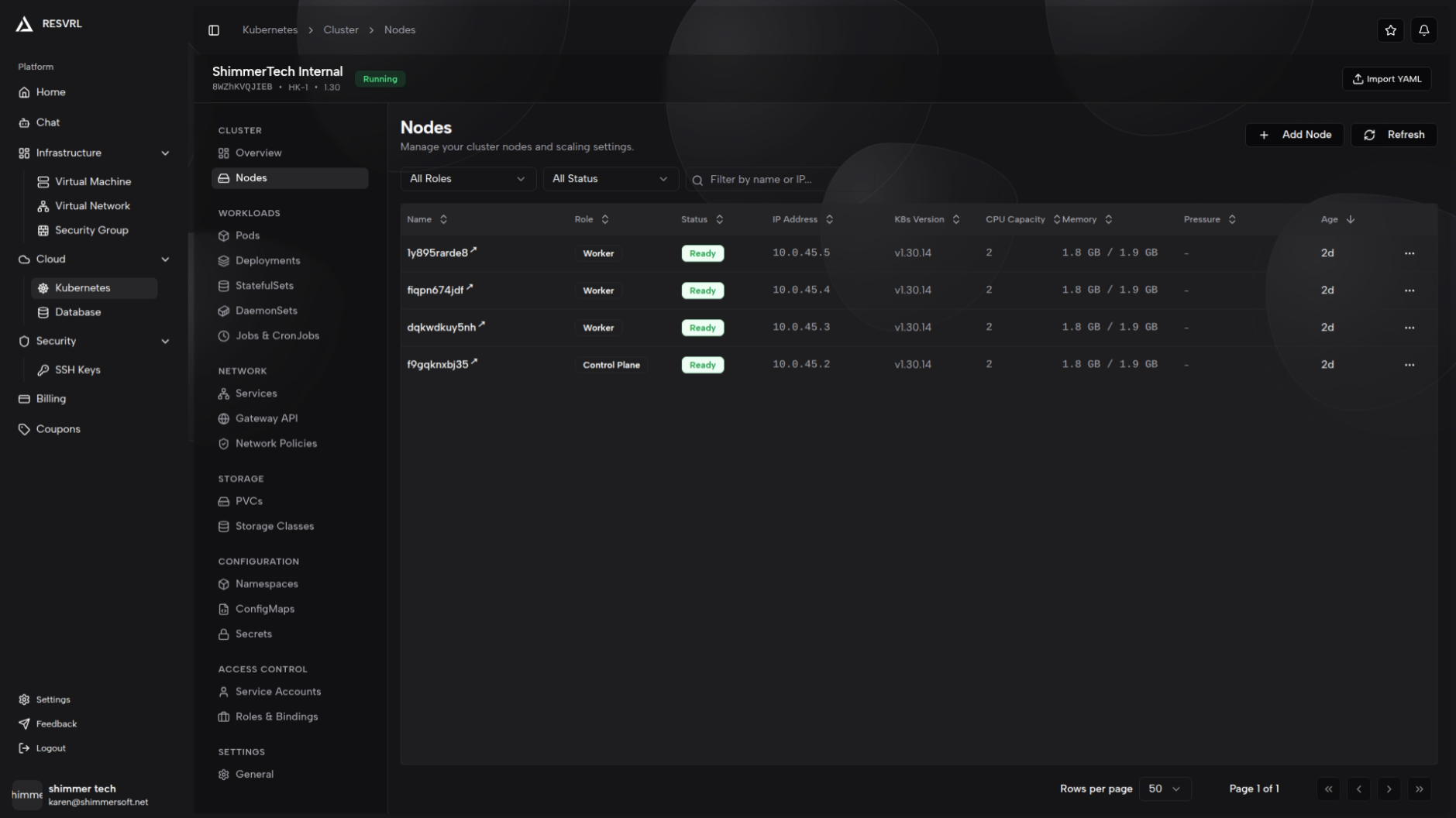
The list page displays all nodes in a table with the following columns:
| Column | Description |
|---|---|
| Name | Node name; click to open the detail page |
| Role | Control Plane or Worker, displayed as a badge |
| Status | Ready (green) or Not Ready (red) |
| IP Address | The node's IP address |
| K8s Version | Kubernetes version running on the node |
| CPU Capacity | CPU resource capacity of the node |
| Memory | Memory resource capacity of the node |
| Pressure | Memory, Disk, and PID pressure status; shown as red badges when abnormal |
| Age | Time since the node joined the cluster |
Filtering and Search
The top of the list page provides filtering and search options:
- Role filter: All Roles / Control Plane / Worker
- Status filter: All Status / Ready / Not Ready
- Name search: Supports fuzzy search by node name and IP address
Nodes are cluster-scoped resources and do not belong to any namespace, so the namespace filter is not available on the node list page.
Node Actions
Each node row has a dropdown menu on the right side providing scheduling control actions:
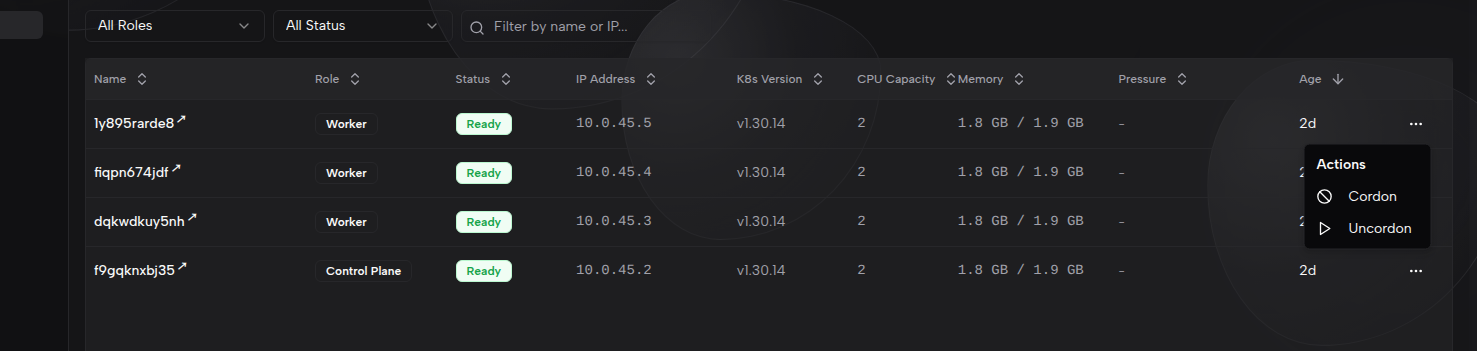
| Action | Description |
|---|---|
| Cordon | Mark the node as unschedulable, preventing new Pods from being scheduled to it. Already running Pods are not affected |
| Uncordon | Re-enable scheduling on the node, allowing new Pods to be scheduled |
Cordon does not evict or stop running Pods. To safely evict all Pods from a node, use the
kubectl draincommand.
Node Detail Page
Click a node name to open the detail page. The header shows the node name, role, and Cordon/Uncordon action buttons. Content is organized into the following tabs:
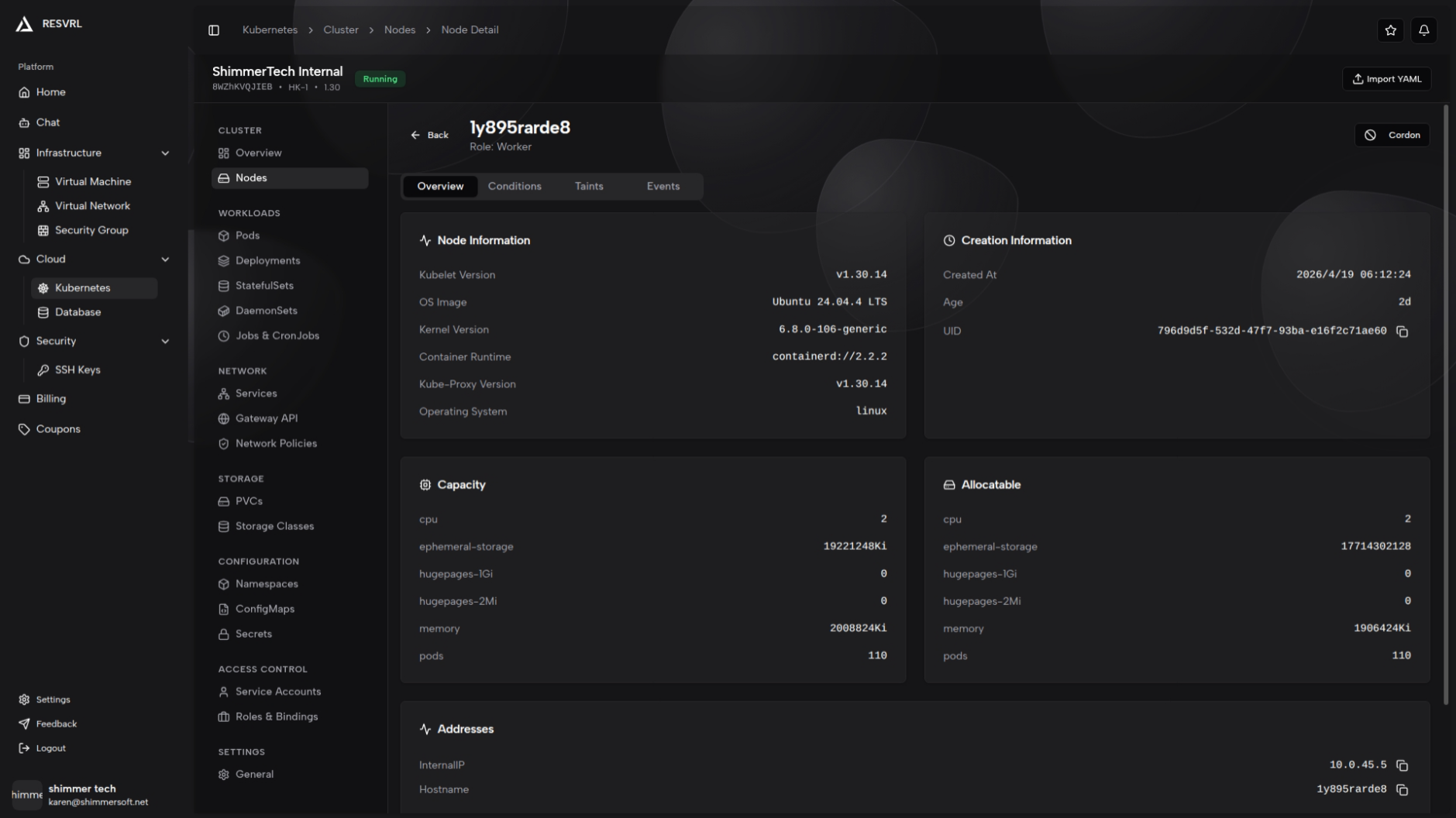
Overview
The Overview tab presents node information in card format.
Node Information
| Field | Description |
|---|---|
| Kubelet Version | The kubelet version on the node |
| OS Image | Node operating system image (e.g., Ubuntu 22.04.3 LTS) |
| Kernel Version | Node kernel version |
| Container Runtime | Container runtime type and version |
| Kube-Proxy Version | The kube-proxy version |
| Operating System | Operating system type (e.g., linux) |
Creation Information
| Field | Description |
|---|---|
| Created At | Time the node joined the cluster |
| Age | Duration since creation |
| UID | Unique identifier for the node |
Capacity
Displays the node's total resource capacity (Capacity) as a card, including CPU, memory, Pod count, and other metrics.
Allocatable
Displays the node's available resources (Allocatable) as a card, including CPU, memory, Pod count, and other metrics.
Addresses
Lists the node's network addresses, including types such as InternalIP, ExternalIP, and Hostname.
Labels

Displays all current Labels as badges. Click "Edit" to enter edit mode:
- Add, modify, and delete key-value pairs
- Keys cannot be empty or duplicated
- Changes take effect immediately and may affect Pod scheduling
Conditions
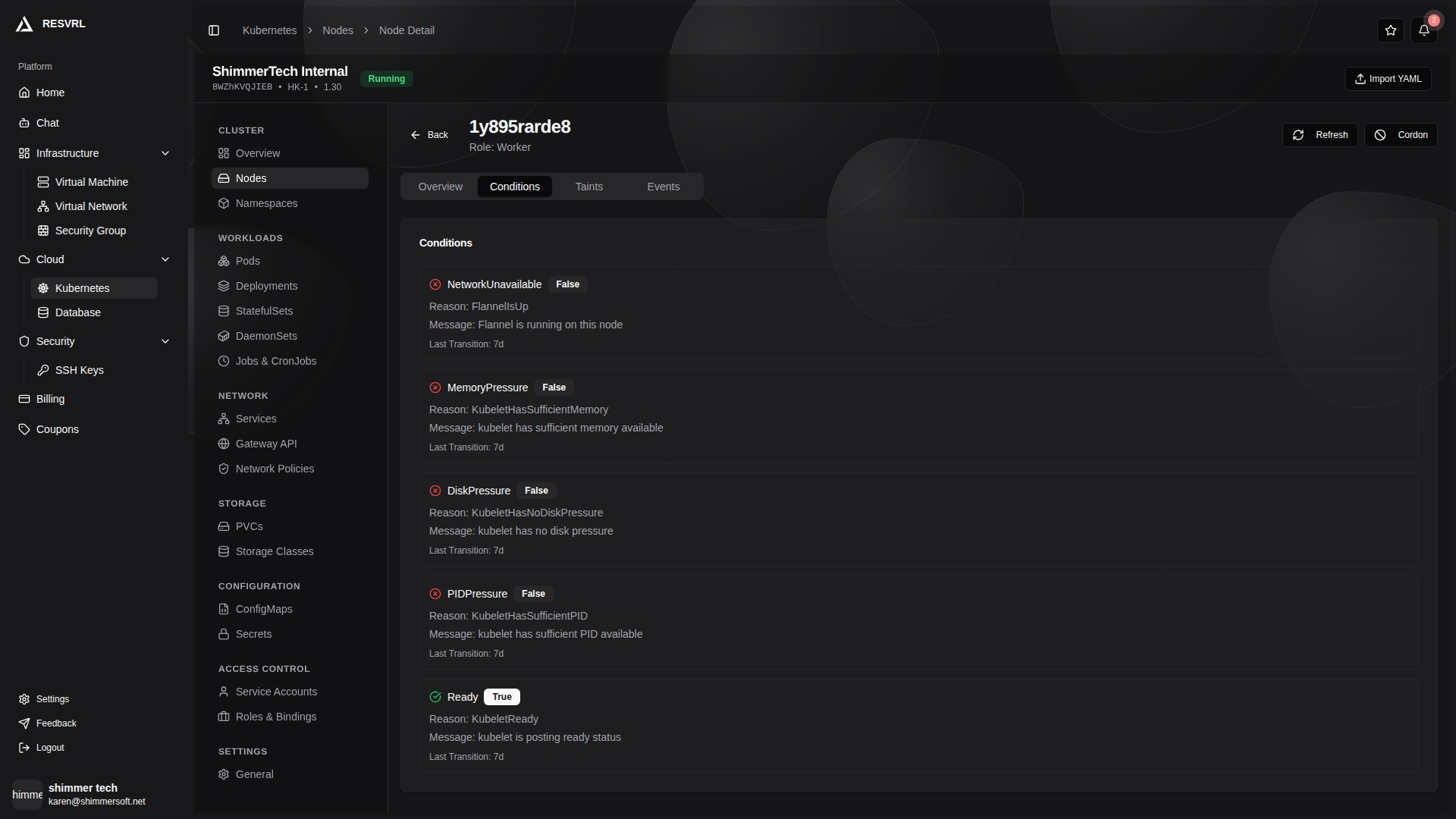
Displays the node's status conditions. Each condition includes:
| Field | Description |
|---|---|
| Type | Condition name (e.g., Ready, MemoryPressure, DiskPressure, PIDPressure) |
| Status | True (green), False (red), or Unknown (yellow) |
| Reason | Reason for the condition change |
| Message | Detailed description of the condition |
| Last Transition | Time of the last status change |
The MemoryPressure, DiskPressure, and PIDPressure conditions correspond to the pressure indicators on the list page and can help diagnose resource bottlenecks.
Taints
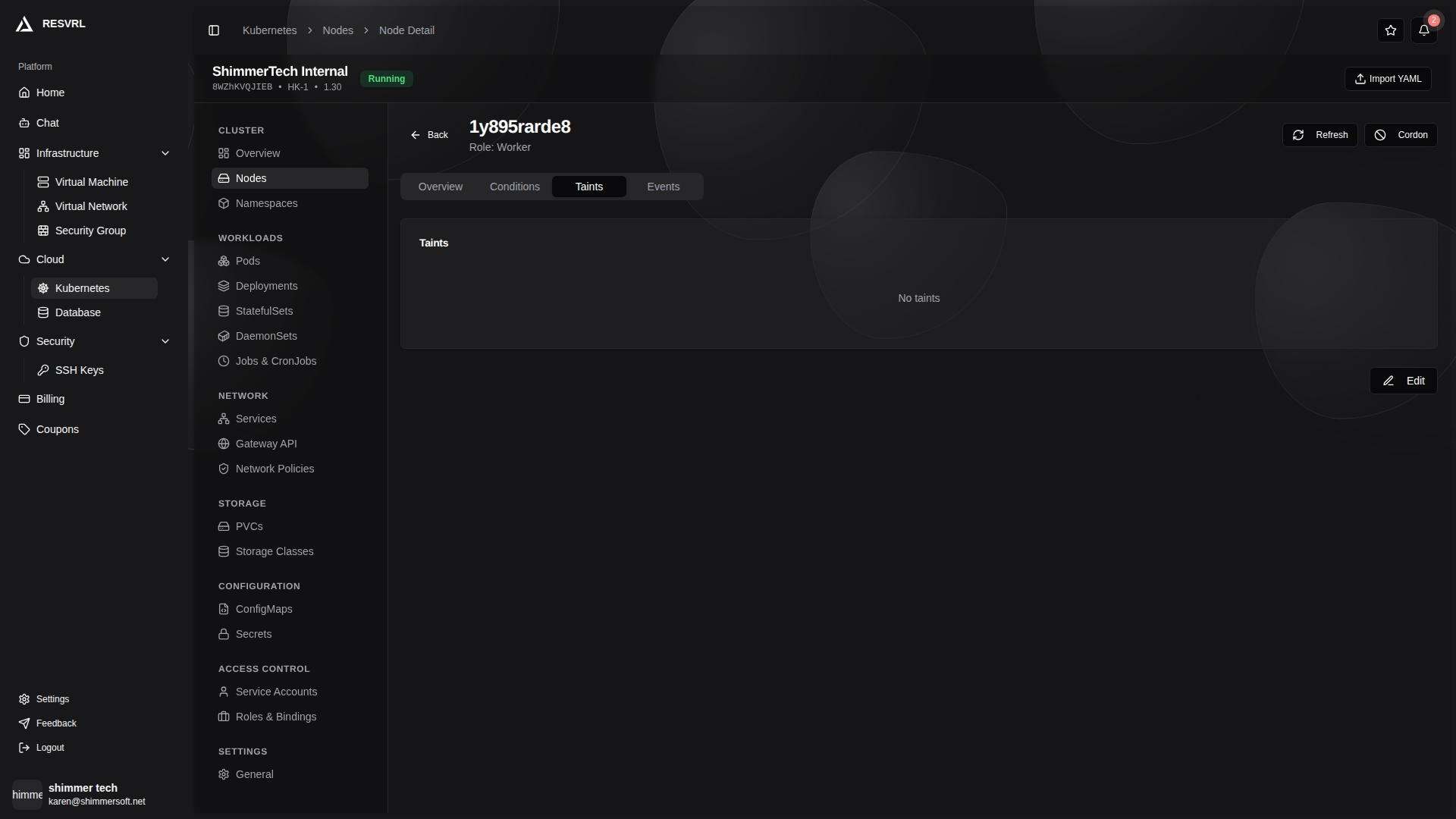
Displays the node's taint configuration. Each taint has a Key, Value, and Effect field. Supported Effect values:
| Effect | Description | Badge Color |
|---|---|---|
| NoSchedule | Pods without a matching toleration will not be scheduled to this node | Red |
| PreferNoSchedule | The scheduler tries to avoid scheduling Pods to this node, but does not guarantee it | Gray |
| NoExecute | Pods without a matching toleration will be evicted | Default |
Taints can be edited: add or remove entries, each requiring a Key, optional Value, and Effect. Changes take effect immediately and may affect running Pods.
Events
Displays recent events related to the node, including timestamp, type (Normal / Warning), and message content.
For historical events, use command-line tools such as kubectl.
Related Documentation
This document was updated on 2026-04-25 09:00